Skills inventory
The Employees app allows users with the correct access rights, typically managers, to view current employee skills. This report is helpful in determining which employee best fits a specific task or role requiring certain skills.
View skills inventory report
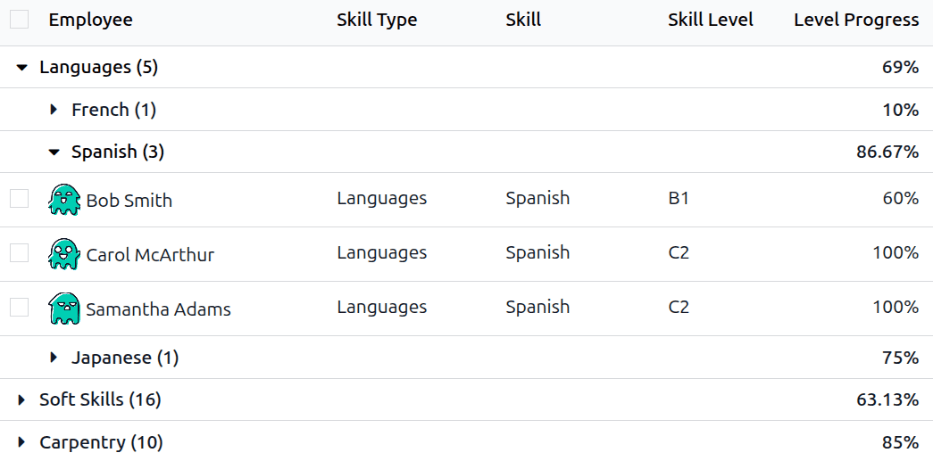
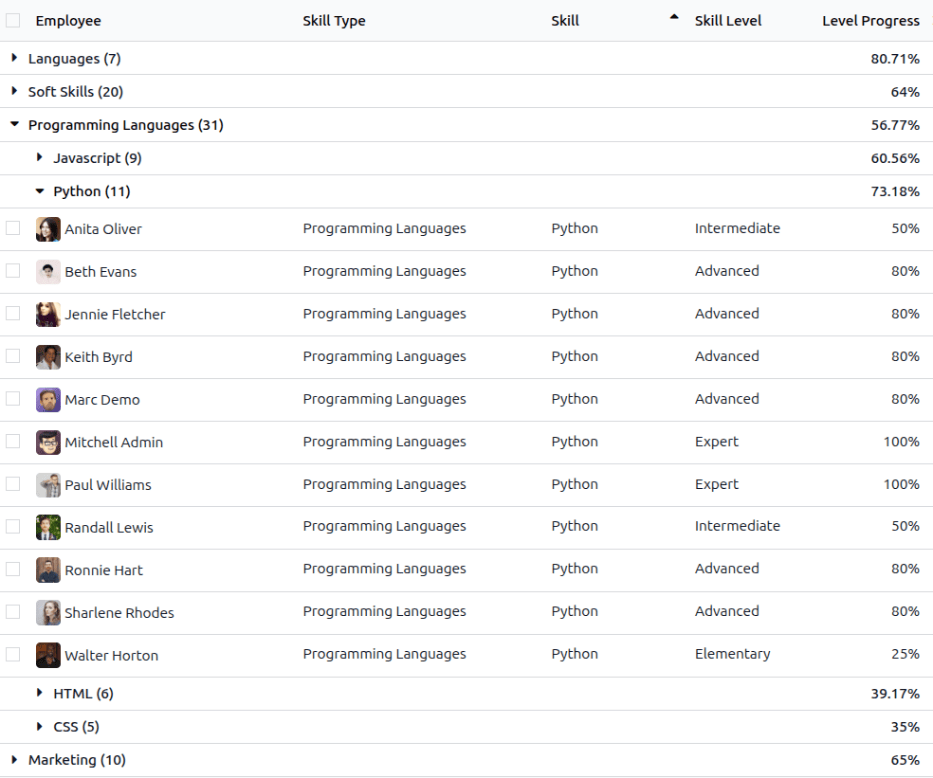
To view the Skills Inventory report, navigate to . The report lists all skills, grouped by Skill Type, then individual Skill. All results are collapsed by default and must be expanded to view the Skill Type, Skill, and Skill Level.
Click on any Skill Type to expand the list and display the individual Skills. Click on any individual Skill to further expand the list and display all employees with that specific Skill, alphabetically.
Both the Skill Type and Skill lines display a number after each listed line. The number indicates how many employees have the specific Skill Type or Skill.
When fully expanded, each line displays the following information:
Employee: The name of the employee with the skill.
Skill Type: The broader category of the skill.
Skill: The specific skill nested within the Skill Type.
Skill Level: The current level the employee has achieved for the skill.
Level Progress: The percentage the employee has achieved, with
100%indicating the skill is mastered.
注解
Only skills that have employees associated with them appear on the list. If no employee has a specific skill, the skill is hidden by default.
Use case: Find Spanish-speaking employees
An automobile company is experiencing issues with a subassembly manufactured overseas. It is determined that a site visit to the factory is needed to resolve the issue. Since the staff of the subassembly company primarily speak Spanish, and the staff of the automobile company primarily speak English, management wants to send an employee who speaks Spanish.
The Skills Inventory report allows for discovering which employee speaks Spanish, and at what level, allowing management to make the best decision.
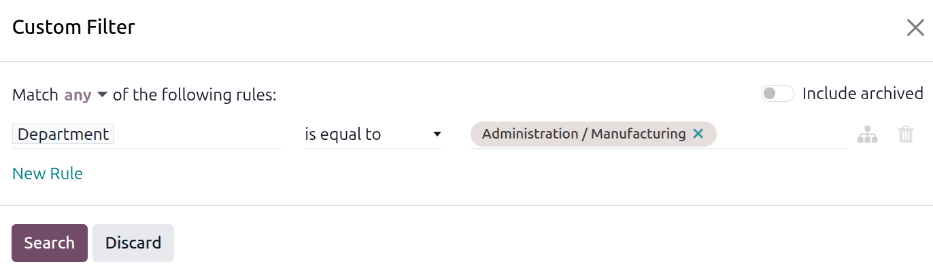
To determine the most fluent Spanish speakers, navigate to . Since the manufacturing department is the most qualified to handle manufacturing issues, someone from that department is desired. To only view employees from that department, click into the search bar, and click Custom filter… in the Filters column.
In the Custom Filter pop-up window, set the first field to Department and the last field to Administration/Manufacturing, then click Search.
Once the filter is active, expand Languages then expand Spanish. The resulting list only displays employees within the manufacturing department, with Spanish language skills.
In this example, it can be determined that both Samantha Adams and Carol McArthur both speak Spanish fluently (a Level Progress of 100%) and are good candidates for the manufacturing trip to their subassembly manufacturer.