
Ingenico
连接支付终端可为客户提供流畅的支付流程,并方便收银员的工作。
重要
Ingenico 支付终端需要IoT 系统。
Ingenico目前仅在比利时、荷兰和卢森堡可用。
Odoo可与Ingenico Lane/、Desk/和Move/支付终端配合使用,因为它们支持通过TCP/IP的TLV通信协议。
配置
连接IoT系统
将Ingenico支付终端连接到Odoo是需要IoT系统的功能。有关如何将IoT系统连接到您的数据库的更多信息,请参阅IoT文档。
为Ingenico BENELUX配置Lane/Desk/Move 5000终端
按功能按钮(Lane/5000上的F,Desk/5000和Move/5000上的⦿)。
转到并输入设置密码(默认:
2009)。选择Change Connection并在下一个屏幕上按OK。
选择TCP/IP和IP-address。
在下一屏幕中,输入您的物联网系统的 IP 地址。
在端口号处输入
9000,并在下一屏幕上点击 确定。
此时,终端将重新启动,并应显示在 Odoo 中 IoT 系统的表单上。
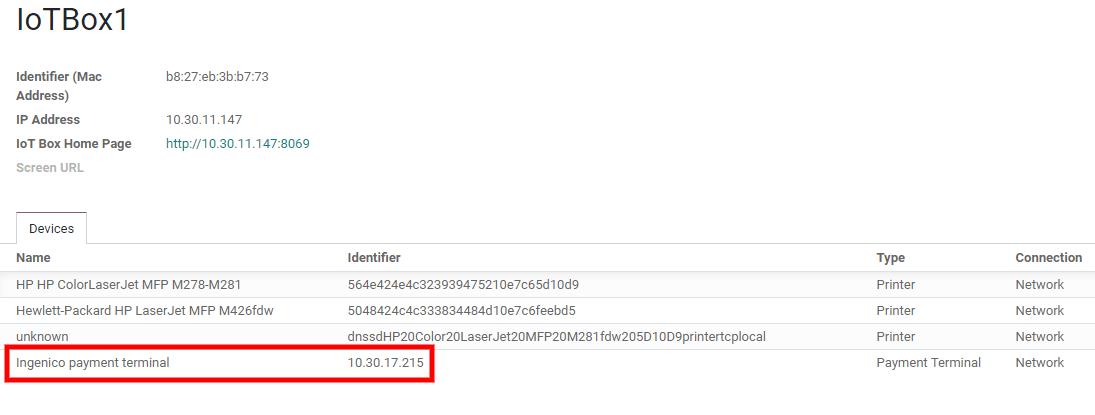
配置支付方式
Enable the payment terminal in the application settings and create the related payment method. Set the journal type as Bank and select Ingenico in the Use a Payment Terminal field. Then, select your terminal device in the Payment Terminal Device field.
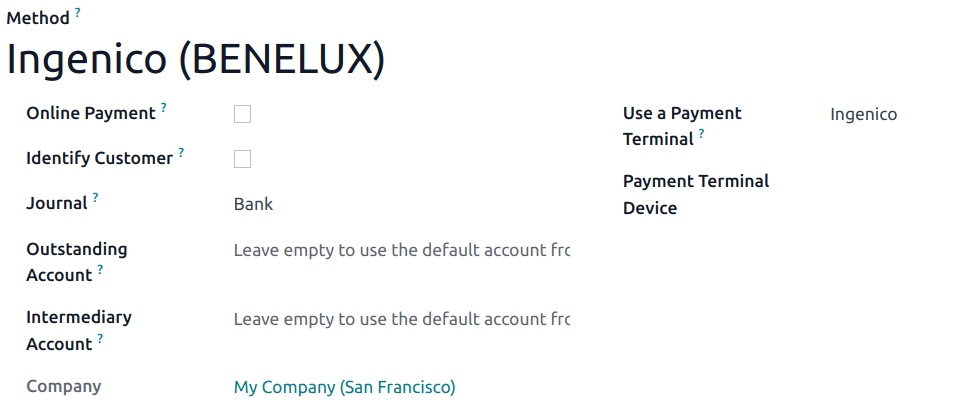
创建了付款方式后,您就可以在 POS 设置中选择它。为此,请进入 POS 设置,点击 编辑,然后在 付款 部分添加付款方式。