
西班牙
模块
The following modules are installed automatically with the Spanish localization:
名称 |
技术名称 |
描述 |
|---|---|---|
Spain - Accounting (PGCE 2008) |
|
Spanish fiscal localization package, complete with the Spanish chart of accounts, taxes, tax report, and fiscal positions. |
Spain - Accounting (PGCE 2008) Reports |
|
Accounting reports for Spain. |
Spain - Accounting Reports (2024 Update) |
|
Adds extra fields regarding Rectificación for Modelo 303. |
Spain - Facturae EDI |
|
Creates EDI Facturae files required to send to AGE (Administración General del Estado). |
Additionally, the following modules must be manually installed:
名称 |
技术名称 |
描述 |
|---|---|---|
Spain - Modelo 130 |
|
Allows Modelo 130 Tax report specifications. |
Spain - Modelo 130 Tax report |
|
Allows Modelo 130 Tax report specifications. |
Spain - Point of Sale |
|
Spanish localization for Point of Sale. |
Spain - Point of Sale + TicketBAI |
|
Sends invoices to the Diputaciones Forales of Araba/Álava, Bizkaia and Gipuzkoa. |
Spain - SII EDI Suministro de Libros |
|
Sends taxes information to SII (Suministro Inmediato de Información). |
Spain - TicketBAI |
|
Sends invoices and vendor bills to the Diputaciones Forales of Araba/Álava, Bizkaia and Gipuzkoa. |
Spain - Veri*Factu |
|
Sends Veri*Factu XML to AEAT (Agencia Estatal de Administración Tributaria). |
Spain - Veri*Factu for Point of Sale |
|
Adds Veri*Factu support to Point of Sale. |
注解
In some cases, such as when upgrading to a version with additional modules, it is possible that modules may not be installed automatically. Any missing modules can be manually installed.
本地化概述
The Spanish localization package ensures compliance with Spanish fiscal and accounting regulations. It includes tools for managing taxes, fiscal positions, reporting, and a predefined chart of accounts tailored to Spain’s standards.
The Spanish localization package provides the following key features:
Chart of accounts: a predefined structure tailored to Spanish accounting standards.
Taxes pre-configured tax rates, including standard VAT, zero-rated, and exempt options.
Fiscal positions: automated tax adjustments based on customer or supplier registration status.
注解
There are several distinct Spanish fiscal localization packages available, each featuring its own pre-configured PGCE (Plan General de Contabilidad) chart of accounts:
Spain - SMEs (2008)
Spain - Non-profit entities (2008)
Spain - Cooperatives - Complete (2008)
Spain - Cooperatives - SMEs (2008)
Spain - Complete (2008)
New Odoo Online databases created with Spain as the selected country are set up by default with the Spain - SMEs (2008) fiscal localization package.
报表
The Spanish-specific statement reports available are:
资产负债表
Profit & Loss (ES)
欧洲共同体(EC)销售列表
税务报表
To access Spain-specific tax reports (Modelo), go to , click Report: and select one of the following:
Tax Report (Mod 111)(ES)
Tax Report (Mod 115)(ES)
Tax Report (Mod 303)(ES)
Tax Report (Mod 347)(ES)
Tax Report (Mod 349)(ES)
Tax Report (Mod 390)(ES)
小技巧
To export the VAT records books (Libros de IVA) in XLSX format, click Report: and select Generic Tax report. Then, click the (down arrow) and select VAT Records Books (XLSX) to generate the XLSX file.
Modelo 130
更改百分比
如果您希望更改 I 部分下的框 [04] 和/或 II 下的框 [09] 的百分比计算部分:
激活:ref:
开发者模式<developer-mode>,转到 ,然后选择报告 税务报告 (Modelo 130)。点击 报告:税务报告 (Mod 130) (ES) 右侧的 (cogs) 图标。
点击要更改的方框,然后在弹出窗口中点击 百分比 行。在弹出的新窗口中,将 计算公式 字段中的值改为要应用的百分比。如果还想修改其他框,请重复此操作。
报告农业活动
如果您希望在 II 部分输入任何金额(从方格 [08] 到 [11]),您必须将相应联系人的 行业 改为 农业:
转到联系人表单(例如,),然后选择联系人。
在 销售与采购 选项卡中,将 行业 字段设置为 农业。
对与 农业 相关的所有联系人重复此操作。
Veri*Factu
注解
Veri*Factu 计费系统的生产商必须自我认证其符合法规。下载 Odoo 的"declaración responsable"
Veri*Factu is the Spanish Tax Agency’s verifiable invoice issuance system. It is mandatory for most taxpayers in Spain, except for those who use the SII system or are under a regional tax regime (i.e., TicketBai).
配置
要启用 Veri*Factu,请按照以下步骤操作:
打开”设置”应用程序,确保您公司的国家/地区和税号在公司部分中正确设置。
Install the Spain - Veri*Factu (
l10n_es_edi_verifactu) module.Go to or , scroll to the Veri*Factu section, check the Enable Veri*Factu option, and click Manage certificates to add a certificate.
在Veri*Factu 证书列表视图中,点击新建。
点击上传您的文件,然后选择一个证书文件并输入打开证书所需的密码(如果有)。
注解
必须至少上传一个证书。
By default, Veri*Factu is in testing mode. The data is sent to test servers and is not considered official. When official data can be sent to the production servers, go to the Veri*Factu section in the Settings and disable Test Environment.
发票
一旦发票被确认,就可以发送。在发送窗口中,如果已启用 Veri*Factu,则可以使用 Veri*Factu 选项。
点击发送生成包含发票详情的 JSON 文件。此文件存储为 Veri*Factu 文档。在Veri*Factu选项卡中,所有对应的文档按创建日期和当前状态列出。
小技巧
要下载 JSON 文件,请在Veri*Factu选项卡中点击其文档。然后,在打开:Veri*Factu 文档窗口中,点击JSON字段中的链接。
注解
该文档应立即发送至AEAT(西班牙国家税务局)。但是,由于AEAT(西班牙国家税务局)要求的提交之间的强制等待期,它可能会被延迟。在这种情况下,该文档将在下次计划操作运行时自动发送。
发票 PDF 上会显示 Veri*Factu 二维码。扫描此代码可验证发票已被AEAT(西班牙国家税务局)接收和识别。
POS 订单
Once an order has been paid, a JSON file containing the order details is generated. This file is stored as a Veri*Factu document.
前往。在订单列表视图中,选择相关订单。在Veri*Factu选项卡中,所有对应的文档按创建日期和当前状态列出。
小技巧
要下载 JSON 文件,请在Veri*Factu选项卡中点击其文档。然后,在打开:Veri*Factu 文档窗口中,点击JSON字段中的链接。
注解
该文档应立即发送至AEAT(西班牙国家税务局)。但是,由于AEAT(西班牙国家税务局)要求的提交之间的强制等待期,它可能会被延迟。在这种情况下,该文档将在下次计划操作运行时自动发送。
如果在付款过程中为订单生成发票,则为发票创建并发送Veri*Factu 文档。
注解
即使为订单创建了发票,订单收据上也会显示 Veri*Factu 二维码。扫描此代码可验证发票已被AEAT(西班牙国家税务局)接收和识别
TicketBAI
Ticket BAI or TBAI is an e-Invoicing system used by the Basque government and its three provincial councils (Álava, Biscay, and Gipuzkoa). Odoo supports the TicketBAI (TBAI) electronic invoicing format for all three regions of the Basque Country.
注解
To use TicketBAI, make sure:
Country and Tax ID fields on the company record are filled in.
Spain -TicketBAI (
l10n_es_edi_TBAI) module is installed.
To configure TicketBAI, follow these steps:
Go to and scroll down to the Spain Localization section.
In the Registro de Libros connection TicketBAI section, select a region in the Tax Agency for TBAI field and Save.
Click Manage certificates (TicketBAI).
In the Certificates for EDI TicketBAI invoices on Spain view, click New.
Click Upload your file to upload the certificate, enter the Certificate Password provided by the tax agency, and select TBAI in the Certificate scope field.
警告
To test certificates, go to and, in the Spain Localization section, enable TBAI Test Mode.
用例
Once an invoice is created and confirmed, follow these steps:
点击 发送。
In the Print & Send window, make sure the TicketBAI option is enabled and click Send
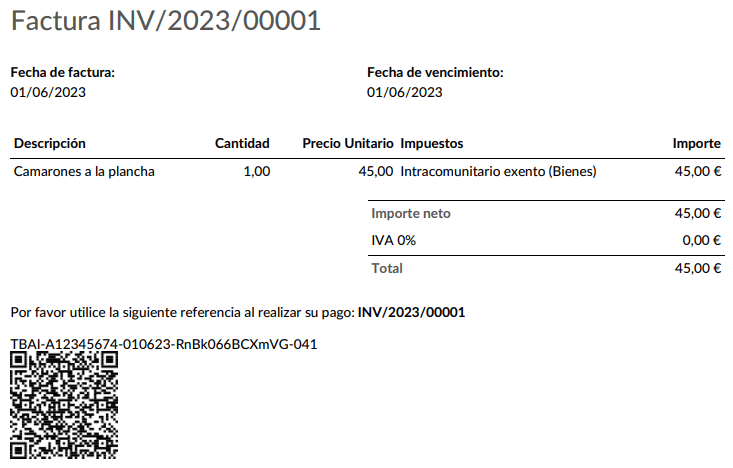
In the TicketBAI invoice tab, the TicketBAI status is updated to Sent, and the XML file is available in the TicketBAI Post File field.
FACe
注解
Make sure the Spain - Facturae EDI (l10n_es_edi_facturae) module is installed.
FACe 是西班牙公共行政部门用于发送电子发票的电子发票平台。
要配置 FACe,请执行以下步骤:
Go to or , and select Certificates in the Spain Facturae EDI section.
点击新建创建新证书。
Click Upload your file to upload the certificate, enter the Certificate Password provided by the tax agency, and select Facturae in the Certificate scope field.
用例
Once an invoice is created and confirmed, follow these steps:
Make sure the customer has a valid VAT number and that their country is set to
Spain.点击 发送。
In the Print & Send window, make sure the Factura-e option is enabled and click Send.
The generated XML file, available in the chatter, must then be sent manually.
警告
The XML file is NOT sent automatically.
小技巧
FACe XML files can be sent in batch through the governmental portal.
行政中心
For FACe to work with administrative centers, the invoice must include specific data about the centers.
注解
Make sure the Spain - Facturae EDI (l10n_es_edi_facturae) module is
installed.
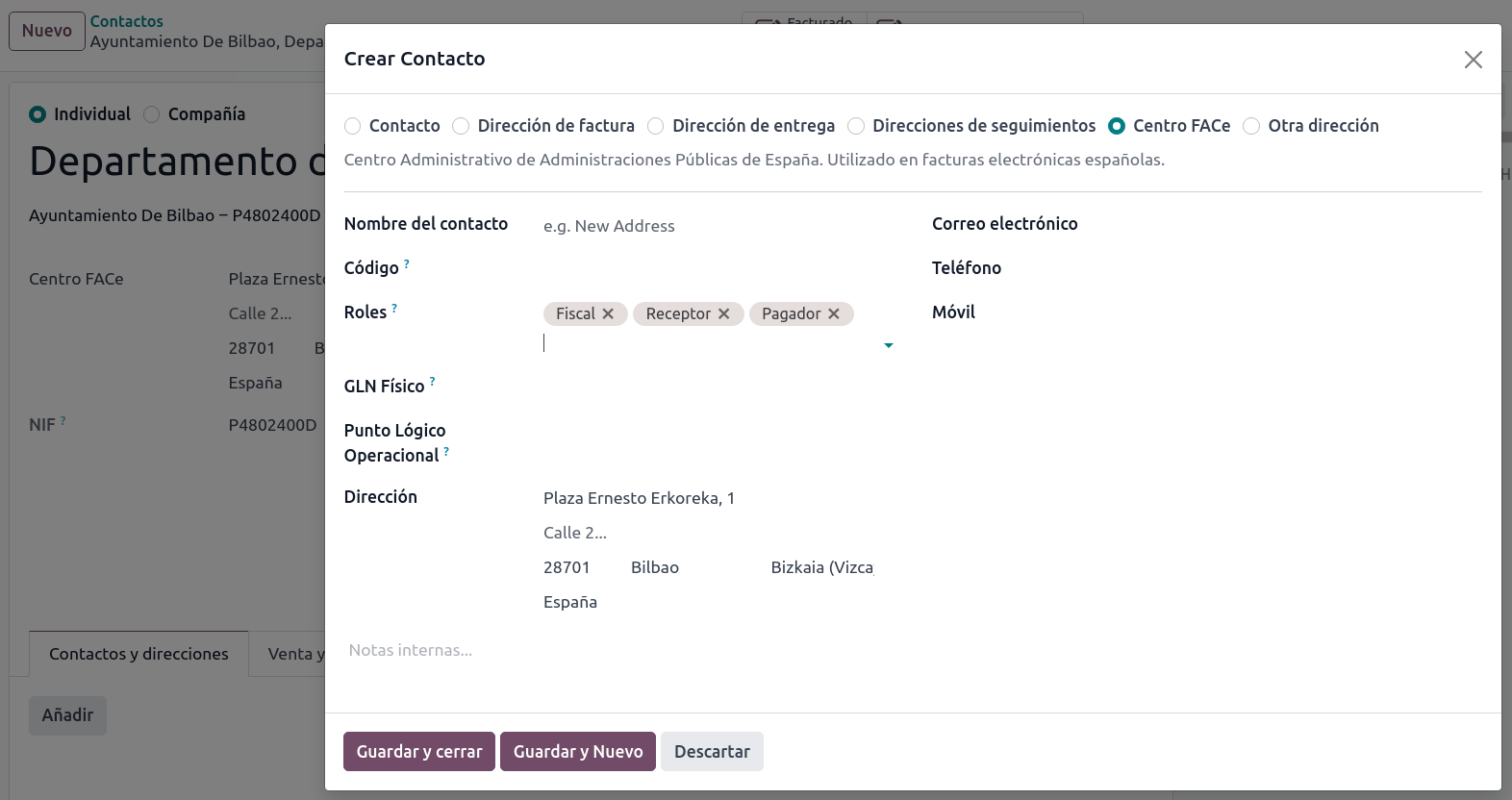
To add administrative centers, create a new contact for the partner company. Select FACe Center as the type, assign one or more role(s) to that contact, and Save. The three roles usually required are:
Órgano gestor: 接收者;
Unidad Tramitadora: Pagador (付款人);
Oficina contable: Fiscal (财政)。
小技巧
If administrative centers need different Codes per role, different centers must be created for each role.
When an electronic invoice is created with a partner that has administrative centers, all administrative centers are included in the invoice.
A contact can hold multiple roles, or multiple contacts can each have different roles.